Film pre-production for Windows

From first draft to call sheet.

Script, breakdown, schedule, shots, call sheets, budget and paperwork. One app on your own computer, bought once.

Coming soon $49.99Explore every feature

The Slate launches soon · One-time purchase · Up to 3 computers · No subscription, no account

The Overview of a production in The Slate: pages, running time, scenes, cast, shoot days and budget, with the schedule, open tasks and a paperwork warning

Write. Break down. Schedule. Shoot. Every department of a production office, in one app that never needs the internet.

Script

What you see is what prints.

A real page in industry format from the first keystroke, drawn by the same layout engine as the PDF.

  1. Scene headings, action, characters and dialogue fall into place as you type.
  2. Lock the script, then revise in color. Every change gets its asterisk.
  3. White, blue, pink, yellow, green: each revision keeps its pages.
The script editor in The Slate: a new scene typed with autocomplete for the heading, the set, the time of day and the character, numbered 1A, with revision asterisks in the margin

In the app. Autocomplete for scene headings, sets, times of day and characters, from what's already in your script. With scene numbers locked, a new scene becomes 1A.

  • Production revisionsLock the script, then one click per color, with A-pages and locked scene numbers.
  • Every version keptCompare any two versions and restore a passage, a scene or the whole script.
  • Scenes and cardsRestructure the story on an index-card board, and the script follows.
  • Script timingEstimated screen time for every scene and the whole film, from words per minute, with actual times from circled takes.
  • Bring your scriptImport Final Draft, Fountain, PDF or plain text. Export PDF, FDX and Fountain.
  • Find and navigateFilter scenes by character, location, time of day or revision, and search the whole project.

Breakdown and stripboard

Tag it once. Schedule it by dragging.

What you tag in the script flows on to the breakdown sheets, the stripboard, the call sheets and the budget.

  1. Every scene becomes a strip, colored by interior or exterior, day or night.
  2. Drag a strip to another day. Pages, times and cast follow it.
ScI/ESetD/NPgsCast
Day 1 Mon, Dec 71 pg
5EXTHollis house - porchDay4/81, 2
6INTHardware storeDay4/81, 3
Day 2 Tue, Dec 81 6/8 pgs
2INTBeacon Theatre - projection boothNight7/81, 2
8pt1INTBeacon Theatre - projection boothNight1/81, 2
4INTBeacon Theatre - lobbyNight6/81, 2
Day 3 Thu, Dec 101 3/8 pgs
3INTBeacon Theatre - auditoriumNight1/84
7INTBeacon Theatre - auditoriumNight1/83
9INTBeacon Theatre - auditoriumNight2/85
8pt2INTBeacon Theatre - projection boothNight2/81, 2
1EXTMain Street - Beacon TheatreNight1/8
10EXTMain Street - Beacon TheatreNight4/8
The stripboard in The Slate: scene 3 is dragged from the end of day 2 to the top of day 3, and both days' page counts change

In the app. Drag a strip to another day; its pages, times and cast go with it.

  • Breakdown sheetsThey fill in as you tag, in industry categories, with counts per scene.
  • Safety, built inScene flags for stunts, minors, weapons and water become call-sheet safety lines.
  • A stripboard that keeps upShoot, travel, rehearsal, prep, holiday and dark days, with times and page counts.
  • Conflicts on the dayAvailability conflicts and short turnarounds are flagged where they happen.
  • Plan BDuplicate a schedule for a weather cover and compare the two side by side.
  • Day out of daysBy calendar date, for cast or any breakdown category.

Shots, storyboards and the set

Every shot tied to the lines it covers.

Plan the coverage, sketch the frames, then track the day and log every take.

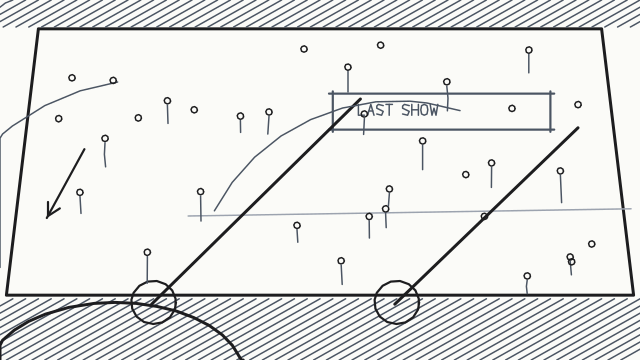
1A-1WS · Crane · 24mmHigh over the wet street, the marquee buzzing
Storyboard sketch: rain on a windshield, the wipers mid-sweep, the marquee beyond
1BCU · Insert · 85mmWiper blade sweeps the marquee's reflection
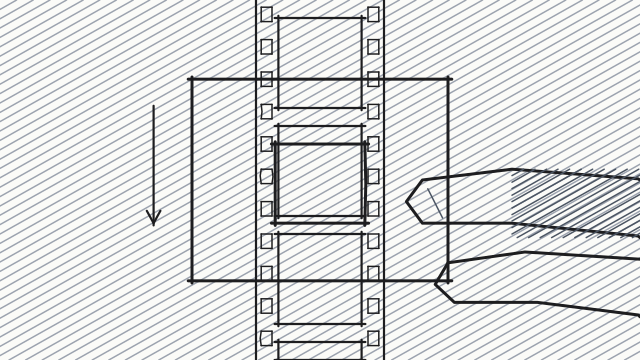
Storyboard sketch: film threaded through the projector gate, fingers at the edge
2AECU · 100mm macroWalt threads film through the gate
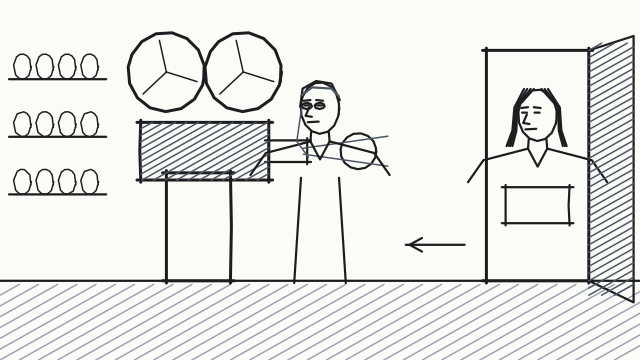
Storyboard sketch: Walt at the projector in the booth as June comes through the door
2BWS · Master · 28mmWalt at the projector as June comes in
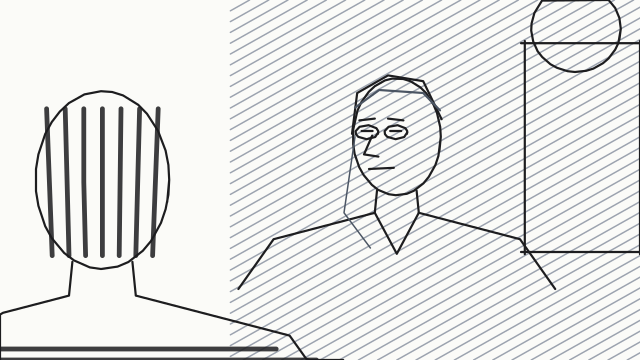
Storyboard sketch: over Walt's shoulder, on June
2COTS · 50mmOver Walt, on June
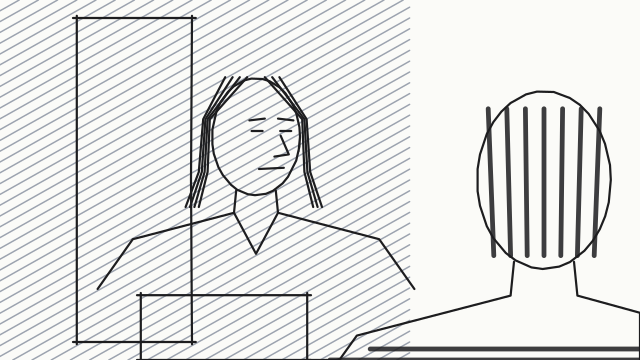
Storyboard sketch: over June's shoulder, on Walt
2DOTS · 50mmOver June, on Walt
The sketch pad in The Slate: a storyboard frame of the theater marquee in the rain, drawn stroke by stroke

In the app, sped up. A frame drawn in the sketch pad, with pen and marker in three grays.

  • Shot listBy scene, as one list, or by shoot day in shooting order with start times.
  • Sketch padLayers, shapes, arrows and text, with pressure from a tablet pen. Draw over a scout photo without changing it.
  • Reference boardsMood boards, lookbooks and wardrobe, location and VFX boards, linked to scenes and shots.
  • Shoot-day trackerFollow the day shot by shot: how far ahead or behind you are, and the projected wrap.
  • Script supervisor logTakes with times and rolls, circled takes, continuity notes and photos.
  • Editor's daily logEvery take by scene and shot, as a PDF and a CSV for the cutting room.

Call sheets and production reports

Call sheets, built from the schedule.

Calls, crew, safety, the nearest hospital, and sun and moon times worked out offline for the location's own time zone.

  1. The day's scenes and cast come straight from the stripboard.
  2. Sunrise, sunset and golden hour, calculated on your computer.
  3. Publish a version, and everyone gets their own PDF.

The Last Reel Published v1

Call sheet · Day 1 of 3 · Monday, December 7

Crew call7:00 AM

Calls

Shooting call
8:00 AM
Lunch
1:30 PM
Est. wrap
7:00 PM

Weather

High / low
58° / 44°
Conditions
Partly cloudy
Rain · wind
20% · 8 mph NW

Sun and moon

Sunrise
7:09 AM
Sunset
4:21 PM
Golden hour
3:36 PM

Scenes

ScSet and descriptionD/NPgsCast
5EXT. Hollis house - porch June finds an old home movie of her fifth birthday.Day4/81, 2
6INT. Hardware store Dev offers to help with the last show.Day4/81, 3

Cast

#CharacterReportOn set
1Walt6:30 AM8:00 AM
2June6:45 AM8:00 AM
3Dev10:45 AM11:30 AM

Nearest hospital

Northwestern Medicine Woodstock HospitalWoodstock, Illinois

Report all accidents and injuries to the 1st AD immediately.

The call sheet preview in The Slate, scrolled from the calls and weather down to the scenes and cast

In the app. The preview is the PDF: what you see is what everyone gets.

  • Published versionsEach version is frozen when you publish, and "What changed" lists every difference.
  • Out to everyoneA personal PDF and sides for each person, drafted in your own mail app.
  • Production reportsStart from the call sheet, and fill first shot, lunch and wrap from the day's log.
  • Overtime and meal penaltiesWorked out from your production's own rules, with planned against actual crew cost.
  • Hot costsA wrap report with crew cost, and a hot costs CSV for the accountant.
  • Department packetsOne ZIP per person with what their department needs. You send them; the app sends nothing.

Budget

From top sheet to cost report.

Accounts and lines to the cent, linked to the schedule, then the money you actually spend.

Above the line
$6,919
Below the line
$17,142
Charges and contingency
$3,609
Grand total
$27,670
Budget top sheet for the sample project
AcctCategoryBudget
200Cast$6,919
300Crew$5,952
400Equipment$3,150
500Production costs$3,250
600Post-production$4,790
The budget top sheet in The Slate: the contingency goes from 10 to 15 percent and every total updates, then back

In the app. Change the contingency and every total follows, down to the net after incentives.

  • Formulas and globalsLines that follow the schedule and the day out of days.
  • FringesPercent and flat, with cutoffs, plus contractual charges and credits.
  • VersionsLock, approve and compare versions of the budget.
  • ActualsExpenses, purchase orders and a cost report.
  • Crew costLink people to the lines that pay them, and see planned against actual.
  • ExportXLSX, CSV and PDF.

Paperwork and contracts

Every deal memo, release and agreement.

21 built-in templates, filled in from your cast, crew, locations and schedule.

  • Crew deal memo
  • Cast deal memo
  • Parent or guardian consent
  • Nudity and simulated sex rider
  • Talent release
  • Appearance and interview release
  • Audition release
  • Background release and sign-in
  • Filming notice (posted sign)
  • Depiction release
  • Location agreement
  • Short location release
  • Location wrap sign-off
  • Notice of filming to neighbors
  • Certificate of insurance request
  • Materials release
  • Equipment rental agreement
  • Vehicle and picture car agreement
  • Music license request
  • Confidentiality agreement
  • Services agreement
  • Who needs whatA Paperwork view of every person and location, with what's missing and when it's due.
  • Create the missing onesMake a contract for everyone who needs one, in one step.
  • Your words, keptEdit a contract's text; the template and every other contract stay as they were.
  • Up to dateWhen the schedule moves, you choose which values to refresh. Your edits stay.
  • Signed means lockedSign on this computer or attach a signed scan. A revision starts a new draft.
  • Clean PDFsNumbered sections and signature blocks. Written for US productions; have a lawyer review them.
  • CastingA board for each role, from Submitted to Booked, with ratings, notes, headshots and résumés.
  • AuditionsAudition and callback sessions with time slots, and an audition schedule PDF.
  • Book in one stepThe booked actor plays the character everywhere: call sheets, day out of days and sides.
  • NotesRich-text notes for the whole team.
  • The LibraryHospitals, rates, fringes, call sheet layouts and form templates, shared by every project on your computer.
  • Production packageOne ZIP with the script, schedule, call sheets, sides and reports.

Our promises

  1. Works offline.

    Everything runs on your computer. Write, schedule and print with no internet connection at all.

  2. Pay once.

    $49.99, one time. No subscription and no account. One license covers up to 3 of your computers.

  3. No AI.

    Everything the app works out follows fixed rules you can read, and the same project always gives the same result.

  4. Your files stay yours.

    Each production is one .slate file on your disk, saved a few seconds after every change and backed up every 10 minutes. Push it to your own Google Drive, Dropbox or OneDrive only if you choose to.

One price. Every module.

Try the whole app free. Buy once when it fits your production.

Free trial

$0

For as long as you need it

  • Every module, nothing locked
  • No time limit and no account
  • Exported PDFs carry a small "Trial Edition" footer
Coming soon

The Slate

$49.99

One-time purchase. Yours to keep.

  • Everything in the trial, without the footer
  • Up to 3 computers, Windows (the Mac version is coming soon)
  • Free updates for every 1.x release
  • Your license key by email, right after checkout
Coming soon $49.99

The Slate launches soon.

Secure checkout by Stripe. No sales tax or VAT is added at checkout. Refund policy · Pricing questions

Your next shoot starts here.

Every module, on your own computer. Try it free, buy it once.

Coming soon $49.99Explore every feature

The Slate launches soon.